Enterprise & Institutional Organizations: GSoC 2026 Final Report
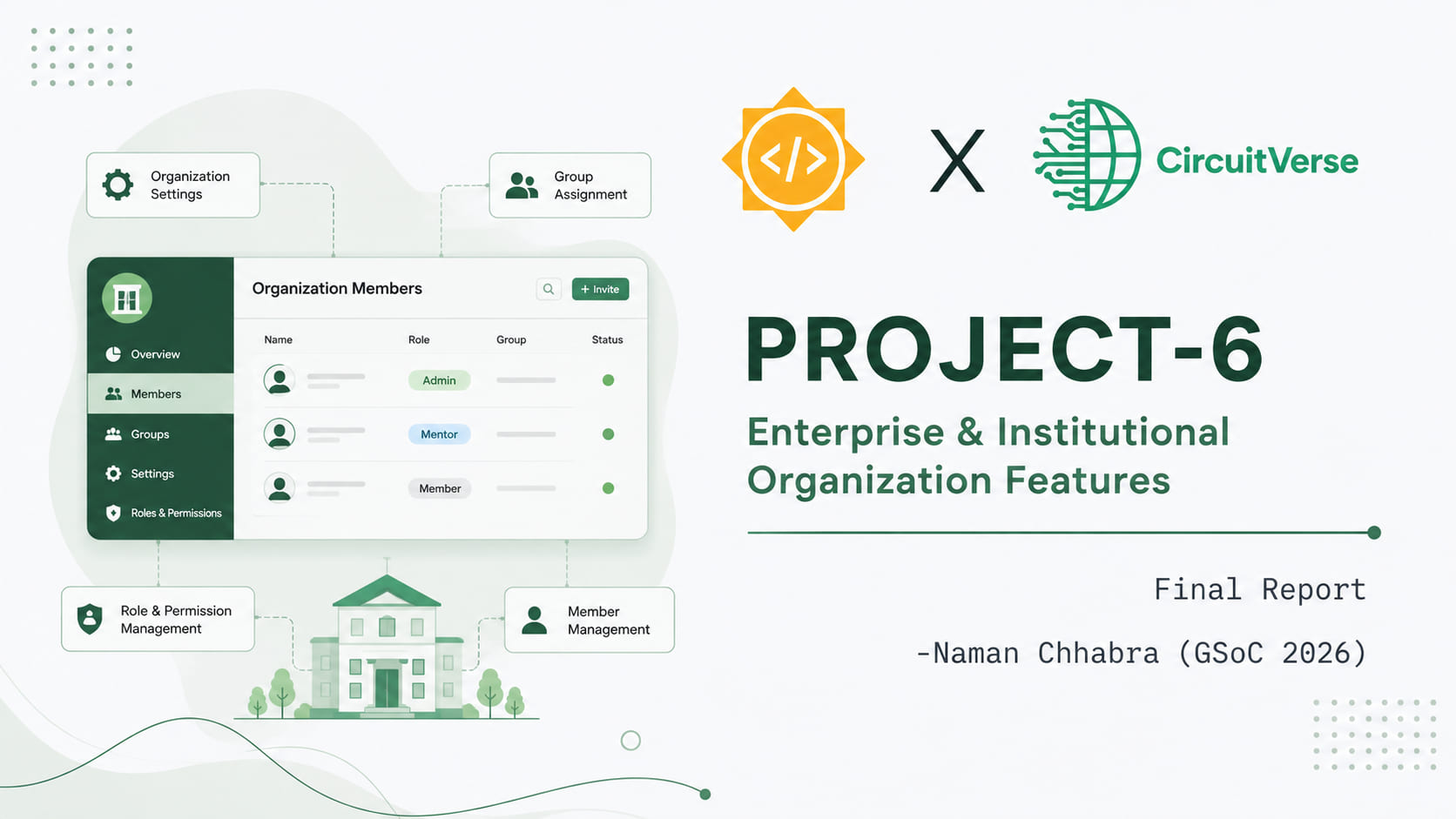
Hey everyone 👋
Welcome to my final blog for Google Summer of Code 2026 with CircuitVerse. For anyone new to it: CircuitVerse is a digital circuit simulation platform where circuits can be designed and simulated through a graphical interface. You can build anything from a single logic gate up to a complete CPU, though the software is aimed primarily at educational use.
This summer I worked on Project 6: Enterprise & Institutional Organization Features, and this post walks through what it is, who it helps, and what is still to come.
What are Organizations, and who are they for?
Plenty of schools, colleges, and coaching institutes already use CircuitVerse. A professor creates a group, adds their students, sets assignments, and everything works. But the moment an institution has more than one teacher, that model starts to strain.
Groups sit on their own with no shared home. You can add a colleague as a mentor, but only one group at a time, so there is no way to say “this person helps run everything in our department.” There is no single place to see what your institution is doing, no shared list of who belongs to it.
Organizations fix that. An organization is a container for everything an institution does on CircuitVerse: its people, its groups, and its assignments, with proper roles deciding who can do what.
Who benefits
Institutions and departments get a single home on CircuitVerse. All your groups live under one roof, with a shared member list and a dashboard that shows what is happening across the whole institution rather than one teacher at a time.
Teachers and professors stop being solely responsible for everything they create. Multiple mentors can run groups inside the same organization, and an admin can hand over or reassign things when someone changes roles or leaves. Adding people is now as simple as typing their email addresses.
Students get added to their institution once and see the groups that belong to it, rather than tracking down invite links for each individual group.
Administrators get a real permission system. An org admin manages the organization and its people, mentors run their groups, and members participate. Nobody has more access than they need.
What has been built
Everything below is merged and shipping behind the :organizations feature flag. That means the code is on production but switched off, so it can be enabled gradually rather than turned on for everyone at once. If you do not see Organizations in your account yet, that is why.
An organization with a proper home
You can create an organization with a name, description, location, logo, and links to your institution’s website or social profiles. It gets its own dashboard split into three tabs: Overview for the groups inside it, Members for the people, and Settings for everything else.
Three roles, clearly separated
| Capability | Org Admin | Mentor | Member |
|---|---|---|---|
| Manage org | ✅ | ❌ | ❌ |
| Add / remove org members | ✅ | ❌ | ❌ |
| Create new groups | ✅ | ✅ | ❌ |
| Manage / delete all groups | ✅ | ❌ | ❌ |
| Manage / delete assigned groups | ✅ | Owned only | ❌ |
| View dashboard | ✅ | ✅ | ✅ |
| Leave org | ✅* | ✅ | ✅ |
*An admin can only leave if another admin remains, and if they are not the primary mentor of any group in the organization. This stops an organization from ending up with nobody able to manage it.
Adding people by email
Adding members is now just typing their email addresses and picking a role. If someone already has a CircuitVerse account, they are added straight away. If they do not, they get an invitation email, and the moment they sign up they join your organization automatically with the role you chose for them.
This is the same flow CircuitVerse Groups already use, so it should feel familiar if you have added people to a group before.
Managing your members
The Members tab lists everyone with their role. You can filter by role, sort the list, and page through it if your institution is large. Admins can change someone’s role or remove them, each behind a confirmation. Anyone can leave an organization themselves, with the sole-admin case blocked so an organization is never left unmanageable.
Groups that belong somewhere
Groups and assignments created inside an organization now live under it, both in how they are organized and in their web addresses. A mentor moves along one clear path: organization, then group, then assignment.
Switching between organizations
If you belong to more than one institution, a switcher in the dashboard header moves between them. It stays out of the way if you only belong to one.
Found a bug or have an idea?
Organizations is new, and the best way to shape where it goes is to tell us how it works for you. If you run into a bug while using it, or you have an idea for something that would make Organizations more useful, open an issue on the CircuitVerse repository.
Real feedback from people like you using it is what decides what gets built next.
For the developers: how it was built
The rest of this post is the technical side, for anyone curious about the implementation or looking to contribute.
The foundation: schema, models, and authorization
The data layer came together across a series of scoped PRs: the core organizations table (#7370), the organization_members join table (#7391), and an organization_id column on groups so a group can nest inside its institution.
On top of that sit the two models (#7451). Organization has an attached logo, a description, a location field (#7563), and up to five validated external links. OrganizationMember carries the role system as a plain Rails enum:

The controllers (#7457) handle the CRUD and member management, and Pundit policies (#7493) decide who gets to do what. Authorization was where most of the careful thinking happened. A mentor must not be able to remove another member. A member must never reach admin actions. And the last remaining admin cannot demote or remove themselves, because that would leave the organization permanently unmanageable. The sole-admin protection is enforced server-side on update, destroy, and leave.
One design decision I like here: unauthorized access to an organization returns a 404, not a 403. Organizations are private to their members, so if you are not part of one, the app behaves as if it does not exist at all rather than confirming it is there and refusing you. Actions inside the members controller return an honest 403 instead, since at that point you already know the organization exists.
The pages
The index page (#7744) lists your organizations as cards and is linked from the navbar. The creation page (#7739) hosts the organization form with dynamic link fields and a live logo preview. The dashboard (#7701) is built from ViewComponents, with a shell component rendering the tab navigation. The Settings tab (#7747) holds the edit form plus a Danger Zone, where deleting an organization requires typing its name to confirm and any groups inside it become standalone groups rather than vanishing.
Member management and email invitations
This was the biggest single piece of the summer, and it shipped as two stacked pull requests: #7799 for the backend (models, migrations, controller, and mailer) and #7771 for the interface. Between them they cover the whole members experience: the members page with its role filtering, sorting and pagination, the role-change and remove actions, leaving an organization, and the invitation flow itself.
The original plan was an invite-token and shareable-link system, and an early version of it existed. After discussing it with my mentors, we decided to drop it and rebuild the flow around email invitations, matching how Groups already work.
Organizations reuse the existing PendingInvitation model rather than adding a new one. It was extended so an invitation belongs to either a group or an organization, with a role column added so the intended role survives sign-up:
belongs_to :group, optional: true
belongs_to :organization, optional: true
When an invited person signs up, a callback on User consumes their pending invitations inside a transaction and turns each one into the right membership.
Why a role column? A lesson from Groups
While studying the Groups code I found something interesting. Groups tracks mentorship with a boolean, but only applies it to users who already exist. Invite a brand-new email as a mentor in a Group, and they sign up as a plain member, because the pending invitation never stored the mentor flag and the intent is silently lost. My mentor asked why I was not just replicating the Groups approach, and this was the answer: organizations have three roles (a boolean cannot represent them), and I wanted the invited role to actually survive sign-up.
Hardening it
Review feedback pushed the implementation further, and every round made it better:
- Canonical emails. Every address is stripped and lowercased before any lookup or write, so
John@X.comcannot slip past the existing-member check as a duplicate ofjohn@x.com. - Race safety. A unique index on
(organization_id, email)pluscreate_or_find_by!means two simultaneous invites of the same address cannot create duplicate rows or send duplicate emails. - Role precedence. On sign-up I use
find_or_initialize_byand set the role explicitly, so a direct organization invitation’s role applies even if a membership already exists from a group invite processed first. - A restored behavior. My first refactor accidentally dropped the line that adds group invitees to their group’s parent organization. Review caught it, and I restored it.
- Graceful failures. The create action rescues validation errors and redirects with an alert instead of returning a 500.
Scoped groups and assignments
I nested group URLs under their parent organization (#7756) and then scoped assignments under those organization group URLs (#7768). The hierarchy shapes authorization naturally, since access flows down from the organization.
This area also produced the summer’s most satisfying bug fix (#7742): org admins could not open groups inside their own organization. Chasing that one down was a good lesson in how routing scope and policy scope have to agree with each other.
Switcher and polish
The organization switcher (#7786) sits in the dashboard header. The final stretch was a refinement pass (#7785): cleaner form and index styling, better empty states, and consistent i18n across every new string.
Pull Requests
Some of the most important pull requests of the project. For the full set, see all my CircuitVerse PRs.
| PR | What | Status |
|---|---|---|
| #7370 | Add organizations table | Merged |
| #7391 | Add organization_members table | Merged |
| #7451 | Organization & OrganizationMember models | Merged |
| #7493 | Pundit RBAC policies + tests | Merged |
| #7457 | Organization & member controllers | Merged |
| #7563 | Add location field | Merged |
| #7701 | Organization Dashboard UI | Merged |
| #7747 | Organization Settings (Edit) page | Merged |
| #7756 | Scope group routes to organizations | Merged |
| #7768 | Scope assignments under org group URLs | Merged |
| #7771 | Members management & invitation UI | Merged |
| #7785 | Organization form and index UI refinements | Merged |
| #7799 | Email-based member invitations (backend) | Merged |
| #7744 | Organizations index page with navbar access | Merged |
| #7739 | Organization creation page | Merged |
| #7742 | Fix: org admins could not open their own org groups | Merged |
| #7786 | Organization switcher | In review |
Learning 📚
Coming into this summer I could write Rails. Coming out of it, I understand it.
The Rails foundation, properly this time. Building a feature this size meant working through nearly every layer of the framework rather than the handful I was comfortable with. Migrations, models and associations, validations, callbacks, enums, controllers, strong parameters, policies, ViewComponents, Stimulus controllers, mailers, i18n, feature flags, and the test suite around all of it. Things I had used before without really understanding, like has_many :through or after_commit callbacks, became tools I now reach for deliberately because I know what they do and when they bite.
Databases and query craft. A lot of my growth was below the model layer. I learned how to design a schema that holds up (a role-carrying join table, uniqueness enforced in both the model and the database so duplicates are impossible even under a race), and how to write queries that do not fall apart at scale. Sorting, filtering, and paginating members taught me to think in terms of what SQL my Active Record actually produces, and to reach for pluck and exists? where loading full objects would be wasteful.
Indexing, caching, and optimization. Adding a unique compound index to make invitation creation race-safe was the moment indexes stopped being an abstraction. I learned why concurrent index builds matter on a live table, why foreign keys are added without validating existing rows, and how counter caches and eager loading avoid the N+1 queries that quietly make a page slow. The strong_migrations gem blocked me repeatedly, and every single time it was right to.
Reading a large codebase. Perhaps the most useful skill of all. Almost every good decision I made started with reading how CircuitVerse already solved a similar problem. The invitation flow is the clearest example: instead of inventing something, I traced how Groups handle invitations end to end, found where their approach fell short, and built on it. Knowing a codebase deeply is what lets you extend it without fighting it.
Working the way a team works. Small, stacked, reviewable pull requests. Design decisions discussed before the code is written. Review feedback treated as free senior-engineer attention rather than criticism. Security asked about first on a multi-tenant feature, not last. These habits shaped the project more than any single technical choice.
Weekly Blogs
| Week | Blog Link |
|---|---|
| Week 1 | Read |
| Week 2 | Read |
| Week 3 | Read |
| Week 4 | Read |
| Week 5 | Read |
| Week 6 | Read |
| Week 7 | Mid-term report Read |
| Week 8 | Read |
| Week 9 | Read |
| Week 10 | Read |
| Week 11 | Read |
| Week 12 | This blog itself |
Experience 🙏
- Mentors: Vedant Jain, Yashika Jotwani, Pratham More
- Org Admin: Vedant Jain, Aboobacker MK, Aman Asrani
- Contributor: Naman Chhabra
Working on CircuitVerse this summer was the most rewarding stretch of building I’ve done. Organizations touched almost every layer of the app, from migrations to Pundit policies to Stimulus controllers, and getting to carry a feature that size from a Figma mockup all the way to production taught me more than any course could have.
Thank you to my mentors for the reviews, the discussions, and the patience with my questions, and the whole CircuitVerse community for making it easy to keep showing up. Every round of feedback made the feature better, and me too.
Here’s to institutions finding a proper home on CircuitVerse, and to everything that gets built on top of it next.
Thanks for reading! 🎉
See Also
- Enterprise Organizations for CircuitVerse | GSoC 2026 | Phase 1 Report
- Project 1: Circuit Visibility Boosting & Platform Performance Enhancement - GSoC 2025 Final Report
- Project 1 Circuit Management & Performance Enhancement : GSoC 2025 Phase‑1 Report
- Structured Format for Saved Circuit Data | GSoC 2026 | Phase 1 Report
- CircuitVerse Vue Simulator Integration | GSoC 2026 | Phase 1 Report